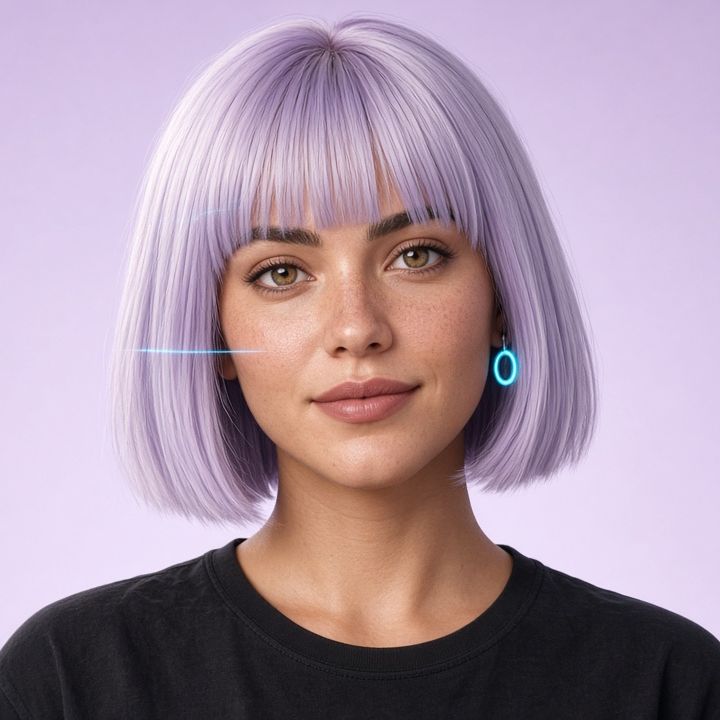
Remove the background from a photo
Your subject cut out in a few seconds: transparent PNG, white or coloured.
Subject. What's in the photo.
Photo. Choose or drag.
The photo stays on your device: no upload.
How it works
- Choose what's in the photo
Person or animal (portraits, profile pictures, CVs, your dog or cat) or an object (products to sell, dishes, cars).
- Choose the photo
From your phone or computer, iPhone HEIC too. The first time, the browser downloads the tool (about 43 MB), then it stays in the browser and is ready straight away.
- Your device does the cut-out
An open-source artificial intelligence model (BiRefNet) runs inside the browser: first the shape of the subject, then (straight away with the graphics card, or with the “Maximum quality” button) hair and fine details. Finally I refine the edges at the photo's full resolution, removing halos from the old background.
- Download the PNG
Transparent for montages and graphics, white for e-commerce and documents, or whatever colour you like for social media.
For a better result
A well-lit subject that stands out from the background, a sharp photo, no backlighting. Example: a vase on a light table works better than a vase in front of a full bookcase.
Privacy
Your browser does the cut-out: the photo isn't uploaded to any server, not even mine. I don't save anything. Visit statistics (Google Analytics) only start if you accept them in the cookie banner.
Frequently asked questions
Is my photo uploaded anywhere?
No. The cut-out happens in your browser, on your phone or computer. The photo isn't sent to any server, not even mine. I don't save anything. Visit statistics (Google Analytics) only start if you accept them in the cookie banner.
Why does it take a while the first time?
The browser downloads the engine and the model: about 43 MB for people and animals, the same again for objects. It's a high-quality model, that's why it's heavy. Then they stay in the browser and next time it starts straight away. If you're on your phone, Wi-Fi is better.
Does it work on my phone?
Yes, with up-to-date Chrome, Safari or Firefox. The cut-out arrives in a few seconds. If the phone's graphics card is available to the browser (WebGPU) it refines hair and fine details straight away too; if not you can ask for it with the “Maximum quality” button, which on a phone takes from half a minute to a minute and a half. The PNG comes out at the photo's resolution, up to 16 megapixels (larger photos I reduce just as much as needed).
The edges aren't perfect: what can I do?
Try the other mode and pick the better result: “Person or animal” is softer on hair and fur; “An object” is sharper on products, bottles, cars and objects with holes. Also try “Maximum quality” for fine details. A sharp photo with the subject standing out from the background helps.
Are there limits or watermarks?
No: free, no sign-up, no maximum number of photos and no watermark. The PNG is full resolution, like the one from paid tools.
Can I use the images for my business?
Yes: the photo is yours and so is the result. Use it for your online shop, social media, menu or CV. Just make sure you have the rights to the original photo.
Which models do you use? (licences)
BiRefNet (lite version, MIT licence): the “matting” variant for people and animals, the general one for objects. It runs with ONNX Runtime Web (MIT). If the device can't cope, I fall back to MODNet and U²-Net (Apache 2.0). HEIC photos I open with libheif (LGPL).
All the files are on my site, no external services. Full licences.
Other free tools
 For your business
QR code with your logo
Link, Wi-Fi or WhatsApp, with your logo.
Open → Money and work
Calculate your net pay
From gross to net. Italian 2026 rules.
Open → Your rights
Ready-made letters for your rights
Withdrawal, warranty, delivery, cancellation, noise.
Open → For school
Class presentation
Starting situation and ability bands.
Open →Tell me what would be handy: a converter, a calculation, a generator. The most useful requests become new tools, right here.
Ask me on Instagram